
9
min read
A website background establishes emphasis: highlighting products, connecting sections and making text readable. An attractive image alone is not enough. Reconsider the design if a heading disappears into a photo, a button blends into a gradient or mobile cropping removes important details.
Choose backgrounds alongside page content. Define what visitors should see and do, then choose colour, imagery or graphics that support that journey.
Here are the main background types, ways to combine them and checks before launch.
What a background does
Backgrounds separate sections, establish visual character and highlight important elements.
A service page may use one to support its heading and form. A catalogue needs a calm base for product cards. A blog needs comfortable long-form reading without excess visual noise.
The whole-site background and individual section backgrounds need not match. An expressive opening screen can lead to calmer pricing, terms and FAQ sections.
A practical check: can someone immediately distinguish the main offer, details and next action?
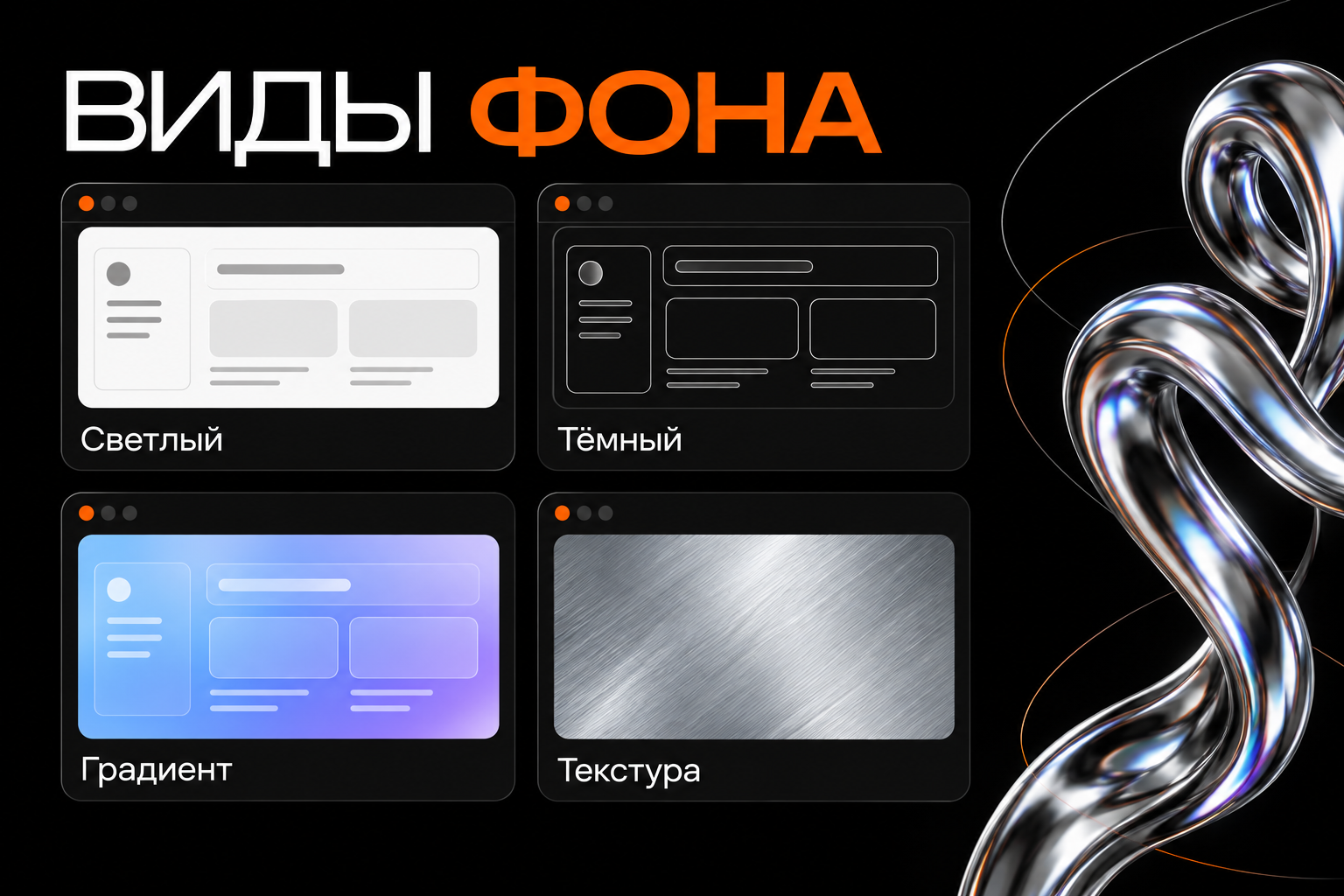
Main background types
Light solid backgrounds
White, off-white and pale grey work well with lots of text, tables or cards, using scale, spacing and colour to establish emphasis.
A light background does not guarantee readability. Pale grey labels and thin lines can disappear even on white.
Test products in different colours. White objects disappearing on white may need different photo lighting, a subtle shadow or a clearer card boundary.
Dark backgrounds
Black and deep colours can showcase bright photography, dimensional graphics and metallic surfaces, supporting a brand's visual identity.
Maintain a clear information hierarchy. Headings, body copy and secondary captions can differ in treatment while remaining readable.
Mostly dim grey text may look tidy in a mock-up but become difficult under real viewing conditions.
Coloured backgrounds
A solid brand colour can distinguish offers, forms or benefit sections.
Choose it in relation to the brand palette and neighbouring elements. Visitors must distinguish backgrounds, buttons and interactive states.
You need not colour the entire page brightly. One accent section may establish an important transition.
Gradients
A gradient creates a smooth colour transition, adding depth to an opening screen or a soft base for an illustration.
Check text across the entire gradient. A white heading may work on the dark edge and disappear in the lighter area.
If it interferes, reduce colour variation, move text to a calmer area or add a supporting surface.
Photography
A photographic background should help explain the offer by showing a space, product or outcome.
Allow room for the heading when selecting images. Small details, faces and bright highlights may compete with text.
A photo with negative space can work well. Add a dark overlay or gradient where needed, keeping text as separate page elements.
Patterns and textures
Repeated patterns or textures can support brand character. Soft grain adds depth; geometric patterns can connect sections.
Choose restrained treatments behind long text. Fine, high-contrast patterns need especially careful readability checks.
Texture need not cover the whole page; limit it to a hero, card or decorative area.
Video and animated backgrounds
Video can show a process, environment or product movement. Animation can support a visual concept.
Use motion where it adds meaning. A changing background behind forms or long copy may distract from the task.
Provide a static fallback if video fails, a way to pause prolonged automatic motion and consideration for reduced-motion preferences.
Illustration and 3D graphics
Original artwork can establish a recognisable identity through abstract shapes, dimensional objects or liquid metal.
Decide what is background and what is a standalone accent. A large 3D object may work beside a heading rather than behind all the copy.
Choosing for the page's purpose
Blogs and informational content
Start with readability. The surface should support comfortable reading of paragraphs, lists and captions.
Use expressive artwork for an article cover and a solid reading area. This works in both light and dark palettes.
Landing pages
The opening screen should explain the offer. Photography, gradients or 3D can help if there is enough room for the heading and button.
Ensure decoration does not obscure the action. Visitors should understand the offer and how to contact you.
Online stores
The background should help people inspect products and compare cards. Test several images rather than one favourable photo.
Keep catalogue surfaces consistent. Style promotional sections separately without changing every familiar product card.
Portfolios and service websites
Support an individual style without competing with the work or service descriptions.
A calm base unifies diverse project colours and photography. Accents can sit in navigation, headings and selected decorative elements.
Design checks
Text contrast
Check the text against its actual background area. WCAG AA requires at least 4.5:1 for ordinary text and 3:1 for large text. Large means at least 24 CSS pixels, or about 18.7 CSS pixels when bold.
On photos, test the least favourable area behind the letters. Where text crosses light and dark zones, an overlay may be more reliable than a shadow.
Assess the whole button: its label must be readable on its fill, and the button distinguishable from the page.
Visual emphasis
Key page elements should retain priority. A bright highlight or high-contrast detail beside a button can divert attention.
Look at the screen briefly and name what you noticed first. If it is an arbitrary background detail rather than the offer, revise the composition.
Neighbouring sections
Background changes distinguish sections, but a drastic change in every block can fragment the page.
Use a few recurring treatments: the main surface, card background and accent section. This preserves rhythm.
Loading speed
Match background images to their display size. An oversized file with unnecessary detail can delay loading without visible benefit.
Compress while checking quality and test on a mobile connection. The fallback colour must keep text readable while imagery loads.
Adapting backgrounds for phones
Desktop backgrounds fill wide areas, while mobile areas are narrower and taller. The same fill image crops differently.
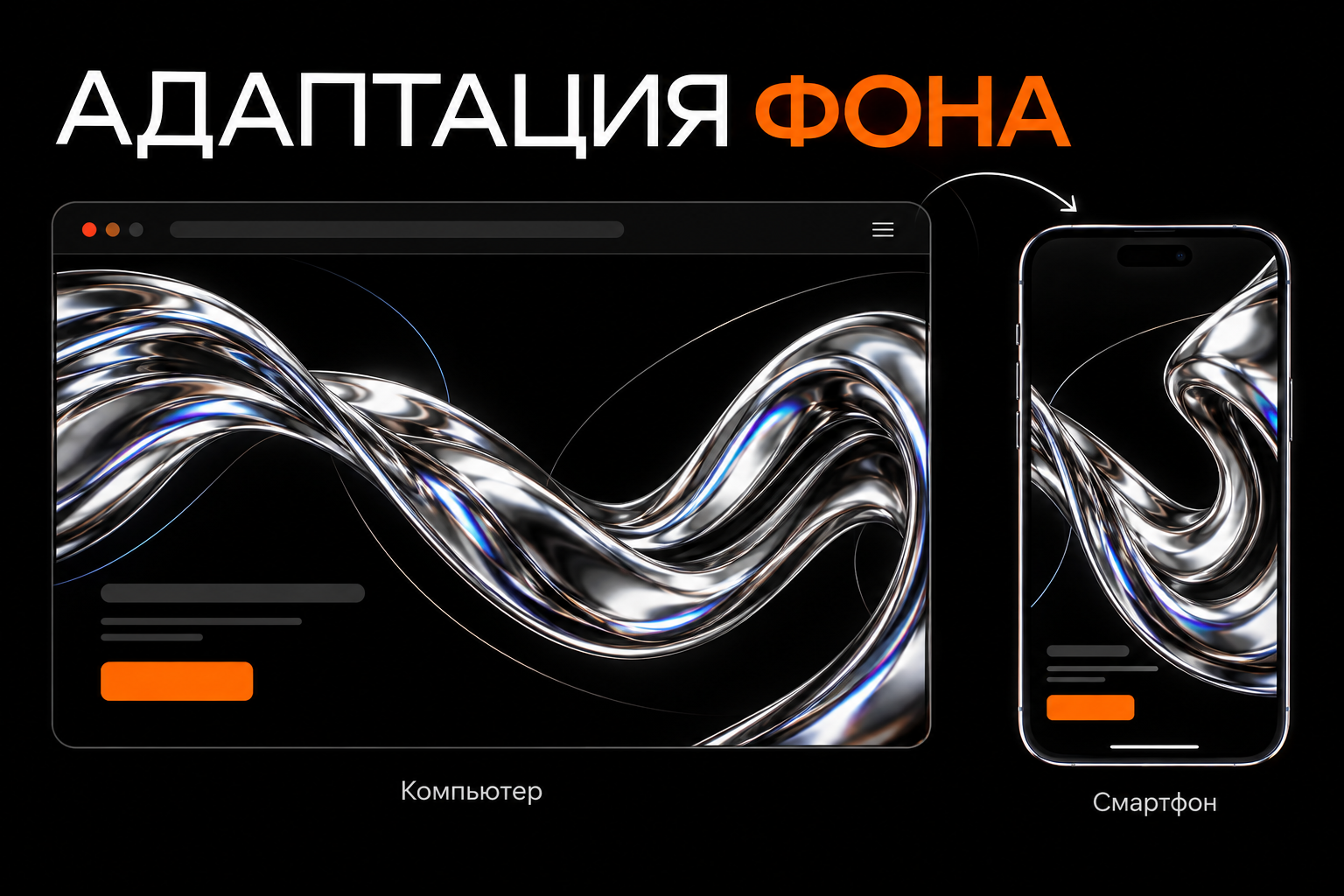
Check three things:
- The focal point. Are faces, products or important details cut off?
- The text area. Does a heading fall over a bright highlight or busy pattern?
- Section height. Is there room for the heading, explanation and button?
Prepare a mobile crop if repositioning is insufficient. This is often better than squeezing a wide composition into a narrow screen.
Do not bake important labels or buttons into the background image. Separate elements are easier to adapt, edit and keep readable.
Common background mistakes
Choosing before structure. Later, there is no room for a long heading or form.
Judging only on a large monitor. Mobile cropping loses the subject or puts copy over a poor area.
Too many effects. Video, bright gradients, texture and 3D compete with one another.
Using shadow instead of contrast. Text shadows do not always rescue complex photography.
Unrelated imagery. An attractive photo may not fit the product or visual system.
Ignoring loading. A striking mock-up can become a long empty area on the public page.
Frequently asked questions
Is white or black better?
Both can work. Consider the content, visual identity and contrast, using real text and images.
Can several types be combined?
Yes: for example, 3D in the opening screen and solid surfaces elsewhere. Keep the palette and transitions coherent.
Does the opening screen need video?
Only when it helps show the product or process. A static image may solve the same task with simpler loading.
Does the background affect SEO?
Colour alone does not guarantee better rankings. Ensure the design supports reading, usability and quick loading.
Do background images need alt text?
Decorative images need not be described as standalone content. Ordinary decorative images can have empty alt text; CSS backgrounds do not have an alt attribute.
If an image conveys important information, use a separate image with meaningful alt text or provide equivalent text.
Before launch
Open the page with real content on desktop and mobile. Check that headings, buttons and the offer are quickly understandable.
Assess cropping, surrounding sections and loading. Keep a background that supports those tasks and the brand's character.
Need a website with considered visuals? Tell me about your project, and we can choose backgrounds and graphics around your product, structure and brand.